Put your USB UPS on the network.
Plug your UPS into this small Wi-Fi board, and your NAS, servers and Home Assistant can watch it and shut down safely when the power goes out. It speaks standard NUT (Network UPS Tools), so the software you already run just works.
Your UPS sits in a closet with nothing watching it.
The usual fixes are a Raspberry Pi to set up and look after, or a UPS network card that costs hundreds and that most home UPSes have no slot for. My UPS Pal does one job, putting your UPS on the network, from $44.99 CAD.
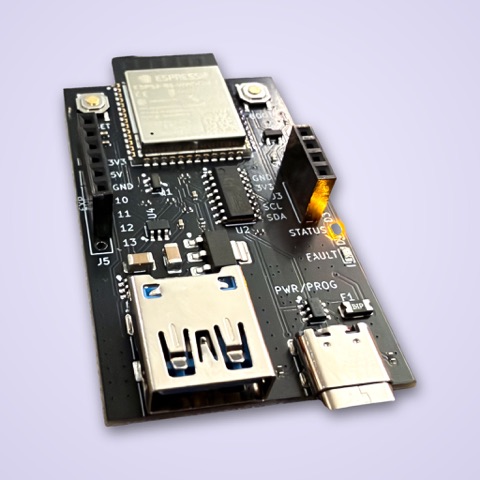
My UPS Pal
USB-A for the UPS, USB-C for power (charger not included). Add a 3D-printed desk or wall-mount case if you like.
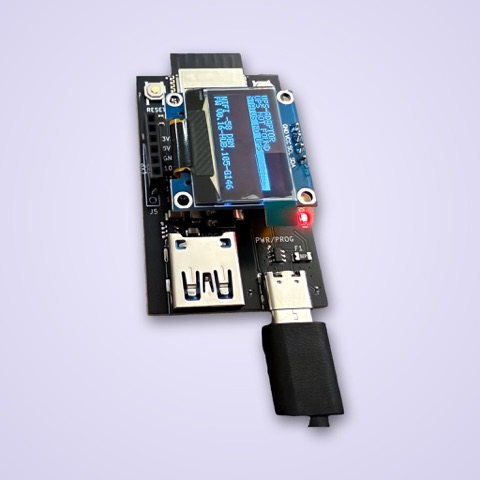
My UPS Pal with OLED
Adds a small display with charge, runtime, volts and load, so you can check the UPS without opening a page.
Check the UPS at a glance, and find the board's address.
The OLED model shows what the UPS is doing, its battery, runtime and load, and the IP address of the web page. If the power goes out, the alert is shown in reverse so it stands out.
Home Assistant, Synology, TrueNAS, unraid, Proxmox, MQTT
Reconnects after a Wi-Fi drop, and resets its USB port if the UPS goes quiet
Most USB UPSes should work.
The board reads each UPS's own description of itself, not a list of models. A few older units speak a serial protocol over USB instead. The common Megatec Q1 type works in beta from firmware v0.19. The rest can't be read. Not sure about yours? Ask us before you buy.
5 of 5
“I plugged it in and had it connected to my WiFi in maybe 45 seconds.
I plugged my UPS in and it detected it in less than a second. It took longer for me to configure Prometheus to start scraping the metrics from this than it did for me to get it working.”
Karl
See your UPS from anywhere with Tailscale.
Private, with no port forwarding.
Open the board's address on any phone or laptop and see your UPS as a friendly face.
Bad update? It rolls itself back.
If a firmware update over the air fails to boot or run properly, My UPS Pal automatically reverts to the last working version. No cables, no bricked board.
Works on IPv6 too.
Turn it on under Address on the Board page and the board takes an address from your router. NUT, the web page and SNMP answer on it, and IPv4 stays on.
Call the board and the UPS what you like.
Set a board name and a UPS name, so clients connect to freezer-backup@garage-ups.local instead of ups@ups-esp32-1234.local.
Firmware under GPL-3.0. Read it, build it, change it.
Already have an ESP32? You can flash the firmware and reuse it!
Needs an ESP32-S3 with USB host.
From $44.99 CAD. Ships from Canada within 2 business days. 30-day returns, 1-year warranty.